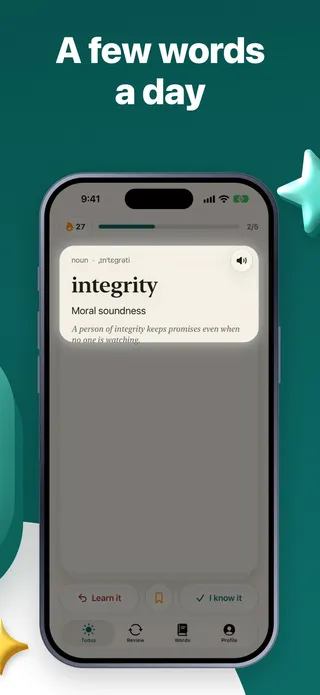
The easiest way to learn a word a day is to see it without trying: on the Home Screen you unlock dozens of times a day, or on the Lock Screen you glance at for the time. WordHabit adds an English word of the day widget to your iPhone, with the meaning hidden until you tap, and buttons to mark the word as known or keep learning it, right on the widget.
No iPhone at hand? The English word of the day on this site shows the same kind of word in any browser, with sound, a definition and an example.
Add the widget to your Home Screen
- Install WordHabit from the App Store, open it once and choose a list: a general level from A1 to C2 or an exam such as IELTS, TOEFL or SAT.
- Go to the Home Screen, touch and hold an empty area until the apps jiggle.
- Tap Edit in the top corner, then Add Widget.
- Search for WordHabit and pick a size: small, medium, large, or extra large on iPad.
- Tap Add Widget, place it, and tap Done.
To change the widget’s settings, touch and hold it and choose Edit Widget.
Choose how often the word changes
In the widget’s settings, New word sets the rhythm:
| Setting | Good for |
|---|---|
| Every 15 or 30 minutes | Lots of exposure on a study day |
| Every hour | The default: a fresh word every time you look |
| Every 3 or 6 hours | A few words a day, each seen many times |
| Every 12 hours or daily | A true word of the day |
You can also pick a Theme for the widget’s colours.
Use the buttons on the widget
The widget is interactive, so you can study without opening the app:
- Tap the word to reveal its meaning. Try to recall it before you tap.
- I knew it marks the word as known and moves on.
- Learn this adds it to your learning queue, where the app brings it back for review.
- Next word, the arrow, skips to another word.
Every WordHabit widget on your phone moves together, so a word you mark on the Home Screen is not shown again on the Lock Screen.
Add it to the Lock Screen
- Touch and hold the Lock Screen, then tap Customize and choose the Lock Screen.
- Tap the widget area under the time.
- Find WordHabit and add the Word widget in the size you like: inline, circular or rectangular.
- Tap Done.
Open today’s word from Control Center
WordHabit also has a Today’s Word control. Add it in Control Center’s edit mode, and one tap opens the current word in the app.
Why a widget works
A word you see twenty times over a day, briefly, sticks better than one you read once for a minute. The widget turns idle glances into those short meetings. What it does not do is test you properly; for that, the app’s reviews bring each word back after 1, 3, 8 and 22 days, and a miss brings it back the same day.
Not sure which list to choose?
Take the free vocabulary quiz at a few levels and start with the one where you score 5 to 7 out of 10. The CEFR levels guide explains what A1 to C2 mean. WordHabit is free to download; the General B1-B2 list and the first 100 words of every list are free, and WordHabit Premium opens the rest.